As an Amazon Associate this site earns from qualifying purchases.
Quick Picks: Recommended Products
| Label pack | Stated count | Stated compatibility | Best for | Link |
|---|---|---|---|---|
| JETZAP Pre-Cut 4x6 Shipping Labels | Work on Most Inkjet and Laser Printers | Just Load & Print | USPS UPS FedEx for Home Printers | 120 Pack | 120 pack | Most inkjet and laser printers | Pre-cut sheets for a printer you already own | Check Price on Amazon |
| 4x6 inch Shipping Labels | 160 labels | Laser and inkjet | Highest stated label count, matte white finish | Check Price on Amazon |
| Shipping Labels 4x6 Inch | 160 sheets | Home and office printers | Sheet-counted stock for mixed home/office use | Check Price on Amazon |
As an Amazon Associate, we earn from qualifying purchases.
Last Updated: September 2026
Learning how to print 4x6 shipping labels at home comes down to three things lining up: label stock that is genuinely 4x6, a printer that will actually feed that stock, and a print dialog that does not resize the page. Get all three right and the carrier barcode scans on the first pass. Miss one and you waste labels.
Here's the thing: most bad home-printed labels are not hardware failures. They are page-setup failures, and those cost nothing to fix.
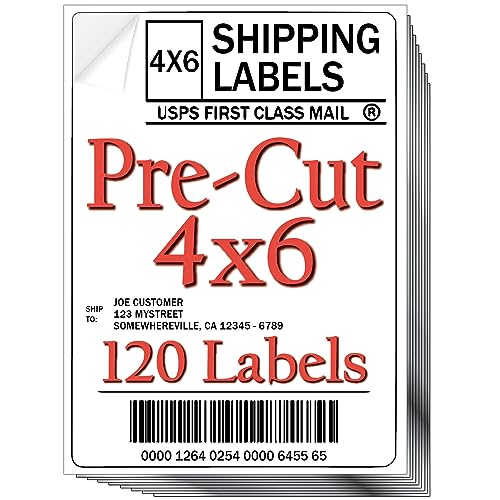
- Discover the simplicity of JETZAP Labels: just load them onto your inkjet or laser printer tray—they're pre-cut! Then follow these three steps: 1) 'JET' (print) 2) 'ZAP' (peel)
- Best value/convenience – JETZAP 4x6 Shipping Labels are simply the best value/convenience there is besides an expensive investment in a thermal printer. Why waste several hundred
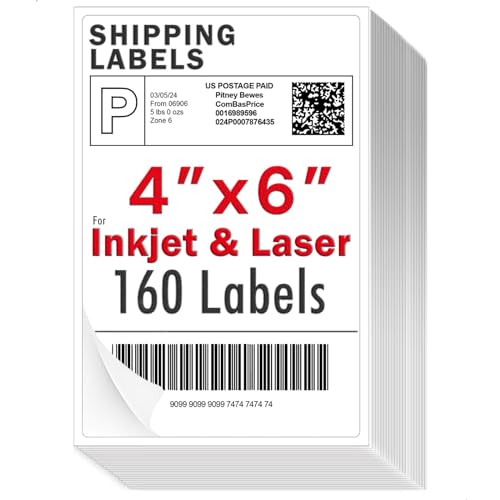
- Our labels print clearly on inkjet and laser printers without any blurring or fading. No need to use a thermal printer or install extra software
- Our 4"x 6" labels are compatible with Most inkjet and laser printers. Just switch your setting from Letter Size to 4x6 in when printing, no additional adjustments needed
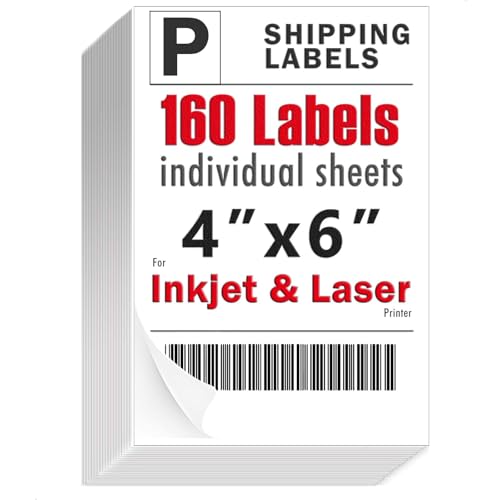
- Wide Printer Compatibility: Compatible with most home and office printers
- Clear, Smudge-Free Prints: Matte finish provides crisp, sharp text and graphics without glare or smudging
The Problem: Why Home Label Printing Goes Wrong
Carriers hand you a PDF built for a 4x6 label. Your printer defaults to Letter. The second your PDF viewer applies "Fit to page" or "Shrink oversized pages," the barcode gets narrower than the spec it was generated at, the quiet zone around it shrinks, and a handheld scanner can refuse it at the counter.
The second failure is stock mismatch. There are two completely different ways to buy 4x6 shipping labels: adhesive sheets that run through a normal inkjet or laser tray, and roll or fanfold thermal media that only a dedicated thermal unit can pull. Buying the wrong one is the single most common ordering mistake.
Worth being blunt about scope here: none of the three label packs documented on this page name a thermal printer anywhere in their listing titles, and all three are described for inkjet, laser, home or office printers instead. If you already own a thermal unit, these are not your consumable.
Step-by-Step: How to Print 4x6 Shipping Labels at Home
- Match the label to the printer you already own. Sheet-fed adhesive labels go in an inkjet or laser tray. Roll and fanfold media do not.
- Download the carrier label as a PDF rather than printing straight from the browser preview. Browser print paths are where scaling gets silently reintroduced.
- Set the paper size to 4x6 in the printer properties dialog, not just in the app. If your printer has no 4x6 preset, create a custom size at 4.00 x 6.00 inches.
- Turn scaling off. In Adobe Acrobat that is Page Sizing & Handling set to "Actual size." This is the step that fixes 90 percent of unscannable barcodes.
- Print one test on plain paper first. Hold it against a blank label sheet and check the artwork lands inside the die-cut area.
- Load the stock in the correct orientation. Face-up versus face-down varies by printer; the tray icon tells you which.
- Print, then inspect the barcode. Bars should be solid black with clean edges, no banding, no toner streaks.
- Store leftover sheets flat and sealed. Curled or humid adhesive stock is what jams a printer next month.
Tools & Products You'll Need
You need the label stock, a printer that accepts it, and a PDF reader that lets you disable scaling. Only the first of those is a purchase.
JETZAP Pre-Cut 4x6 Shipping Labels | Work on Most Inkjet and Laser Printers | Just Load & Print | USPS UPS FedEx for Home Printers | 120 Pack — Best for sellers who want pre-cut stock for an inkjet or laser printer they already own
The JETZAP pack is listed as pre-cut 4x6 shipping labels that work on most inkjet and laser printers, sold 120 to a pack. Pre-cut matters more than it sounds: it means the die-cut edge is already there, so the label peels as a 4x6 rectangle instead of needing a trim.
The listing sells it as a just-load-and-print label for USPS, UPS and FedEx output from home printers, which tells you the intended workflow is a carrier PDF straight to an existing tray. Check Price on Amazon
Pros: pre-cut format stated outright; carrier-agnostic framing covering USPS, UPS and FedEx; no new hardware implied.
Cons: the JETZAP title hedges with "most" inkjet and laser printers rather than naming supported models, so anyone with an unusual feed path is guessing. On stated count alone, this 120 pack lists fewer labels than the two 160-piece packs below. The listing title also does not publish an adhesive type or a face-stock weight.
Verdict: the pick when you want the die-cut already done and you print in modest batches.
4x6 inch Shipping Labels — Best for higher-volume Etsy sellers who want the largest stated count in a matte white finish
This one is listed as 4x6 inch shipping labels with laser and inkjet printer compatibility, described as multi-purpose strong adhesive stickers in matte white, 160 labels. Matte is the sensible surface choice for a barcode, because a gloss face reflects scanner light in a way matte does not.
If you are shopping a thermal printer for Etsy shipping labels and decide against the hardware, this is the sheet-fed route with the highest label count of the three. Check Price on Amazon
Pros: highest stated label count here; matte white face; adhesive described as strong; explicitly dual laser and inkjet.
Cons: the 160-count matte white pack's title states a label count but does not state how many labels sit on each sheet, so you cannot work out the sheet count before it arrives. "Multi-purpose" is marketing language, not a specification. Nothing in the title addresses thermal media.
Verdict: best fit when volume is the deciding factor and your printer already handles adhesive sheets.
Shipping Labels 4x6 Inch — Best for buyers who want a one-label-per-sheet count they can plan around
This pack is listed as shipping labels 4x6 inch for home and office printers, strong adhesive stickers, matte, 160 sheets. That wording is the interesting part. The third pack counts 160 sheets rather than 160 labels, which reads as one 4x6 label per sheet, though the title does not spell that out.
If that inference holds, sheet count equals label count and inventory math gets simple. Check Price on Amazon
Pros: 160 sheets stated; matte face; described for both home and office printers; strong adhesive claimed.
Cons: the sheets-versus-labels ambiguity is unresolved by the listing title, so the usable label count is an inference, not a published figure. The title also stops short of saying the labels are pre-cut, unlike the JETZAP pack. No paper weight or adhesive chemistry is published.
Verdict: a reasonable default for mixed home and office printing, with the caveat that you are reading "sheets" as "labels."
4x6 Label Roll vs Fanfold: Which Feed Style Fits
Rolls suit a dedicated printer sitting in one spot permanently; the media curls, so labels want a moment to flatten. Fanfold stacks lie flat out of the box and do not need a spindle, which makes them easier to store upright in a small workspace. Neither applies to the three packs here, all of which are sheet-fed adhesive stock for inkjet, laser, home or office printers. Choose feed style by the printer you own, not the other way around.
Tips for Best Results
- Print in the highest quality mode your driver offers for the first label of a batch, then compare it against a normal-quality print.
- Keep matte stock away from humidity. Matte faces take toner and ink differently than gloss, and damp stock is the enemy of both.
- On a laser printer, watch the fuser path. Adhesive sheets not rated for laser heat can shed adhesive inside the machine.
- Batch your labels. Fewer tray swaps means fewer misfeeds.
Common Mistakes to Avoid
- Leaving "Fit to printable area" enabled. This is the number one cause of an unscannable barcode.
- Buying thermal roll media for an inkjet, or sheet labels for a thermal unit.
- Reloading a partially used sheet of labels. Exposed adhesive edges are exactly what a roller grabs.
- Assuming every 4x6 label is pre-cut. Only the JETZAP pack states pre-cut in its title.
Label Printer Paper Jam Fix
Pull the jammed stock in the direction of paper travel, never backwards, or you leave adhesive residue on the rollers. Then check three things in order: whether a label peeled off inside the path, whether the tray guides are set to 4x6 rather than Letter, and whether the stack was curled at load time. Most repeat jams trace back to reused partial sheets.
How We Research
This site does no product research and runs no lab. For this page, the research was reading the Amazon Creators API verified product record for each of the three ASINs, retrieved 2026-09-05, and comparing exactly what those records state: size, stated printer compatibility, finish, adhesive description and quantity. Where a record is silent, this page says so rather than filling the gap.
Final Verdict
If you want the fewest unknowns, the JETZAP pack is the sharpest pick, because it is the only one of the three whose title states the labels are pre-cut and names USPS, UPS and FedEx use on home printers. If raw quantity decides it, the 160-label matte white pack states the most labels of the three. Check Price on Amazon
All three are sheet-fed stock for printers you already own. None of them turns an inkjet into a thermal printer, and no amount of label quality fixes a scaled PDF.
Frequently Asked Questions
What size should I set my printer to? 4x6 inches, set in printer properties, with scaling turned off. A Letter-size page setting with "fit to page" enabled is what shrinks barcodes.
Do I need a thermal printer for Etsy shipping labels? No. Adhesive 4x6 sheets run through an ordinary inkjet or laser printer. A thermal unit mainly saves consumable cost and time at volume.
Are 4x6 labels pre-cut? Not always. Among the packs here, only the JETZAP listing states pre-cut in its title.
Matte or gloss labels? Matte, for barcodes. Two of the three packs here state a matte finish.
How many labels should I buy at once? It depends on throughput, but the stated counts here are 120 in the JETZAP pack and 160 in each of the other two.
Related Resources
- Label printer paper jam fix
- 4x6 label roll vs fanfold
- Thermal printer for Etsy shipping labels
- For recall history on household and consumer products generally, the U.S. Consumer Product Safety Commission maintains a public safety database at cpsc.gov.
- If a label pack arrives misdescribed and the seller will not resolve it, USA.gov's consumer protection guidance explains where to escalate a complaint.
Sources & Methodology
Nothing on this page was physically or laboratory-tested; no one here loaded a tray, peeled a label or ran a barcode past a scanner. What informs it is the Amazon Creators API verified product record for ASINs B09XGPSGPT, B0CX1D9SPN and B0DYZFQXNK, retrieved 2026-09-05, read closely for what each listing does and does not state about size, printer compatibility, finish, adhesive and quantity. For a consumable this simple, that record is enough to tell you which pack matches the printer on your desk and how many labels you are buying, but it cannot tell you how the adhesive behaves over time, because none of these listings publish a face-stock weight or adhesive specification.